Can I have a fire today?
The answer, the permit, and the record — all on your district's own website.
Residents buy from a phone in minutes. Duty staff see every active permit on one board.
Looking for your permit?
Enter the email address you used. We'll send your permit links to it.
Burn permits are sold by your fire district, not from this page. Your district's own link works too, as does the one in your confirmation email.
You run a fire district
Run your own permit program end to end, on your own branding, with a live map of what's burning and where.
Sign in with the account you already have
Your district's Microsoft or Google sign-in. No new password on a sticky note.
Seasons and bans apply themselves
A ban suspends permits; closing the season expires them and emails every holder.
Export everything, any time, no charge
Every permit and sales record, as a CSV, whenever you want it. It's your data.
What it does
For the resident, and for the district.
No account, no desktop
Four questions — address, name, email, phone. Every step finishes on the phone in the resident's hand, including payment.
The address is checked before the money is
The address is checked against the district's boundary and its exclusion zones. Out of jurisdiction means told why, and not charged.
The buy button knows the weather
Permits stop selling the moment burn status closes. Current fire-weather conditions drive the page.
What it looks like
A sample district, with synthetic permits — no resident data.
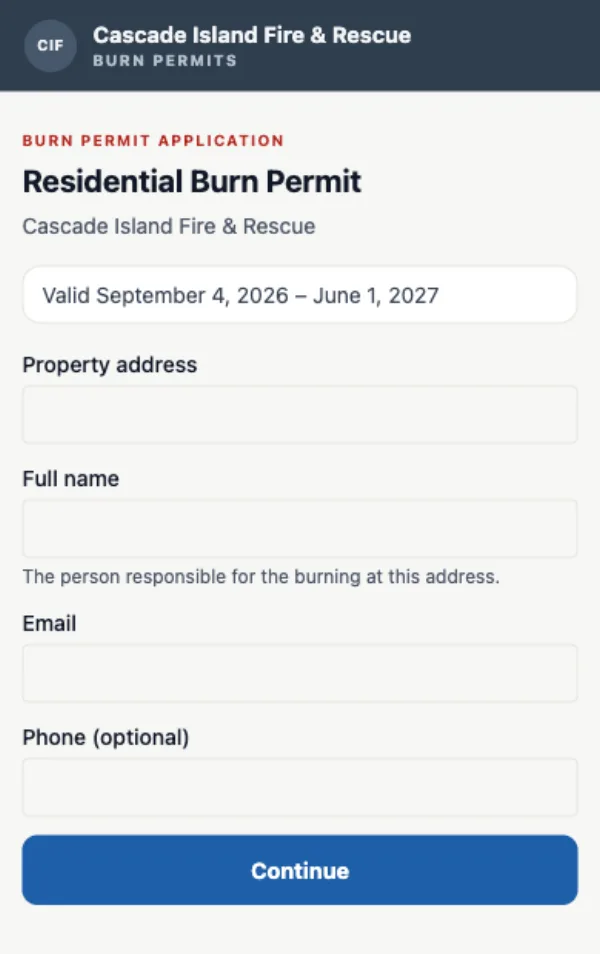
Applying is four questions and no account, on the district's own branding, permit types and prices.
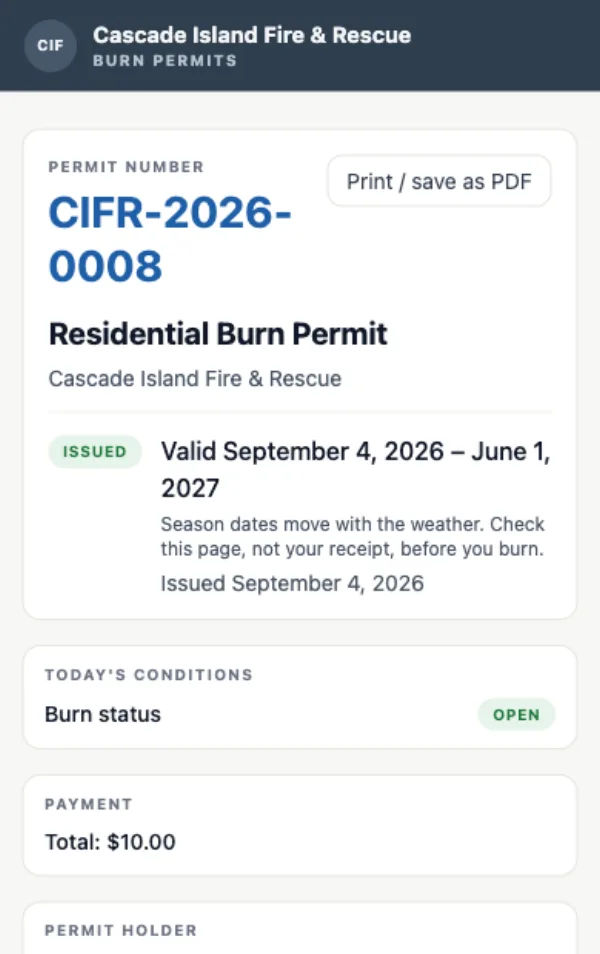
The permit itself — a permanent link that always shows the current burn status, not a receipt from the day it was bought.
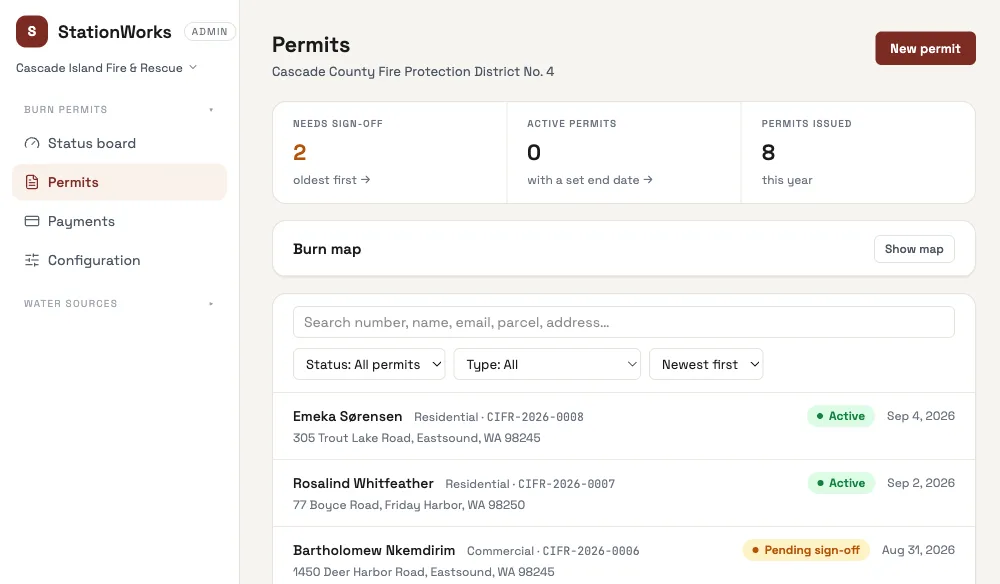
One board for the whole program: who needs sign-off, what is burning, and where it is.